Smart Assignment Tracker
Full-stack assignment tracking built for students — deadline management, study scheduling, and behavioural insights.
Overview
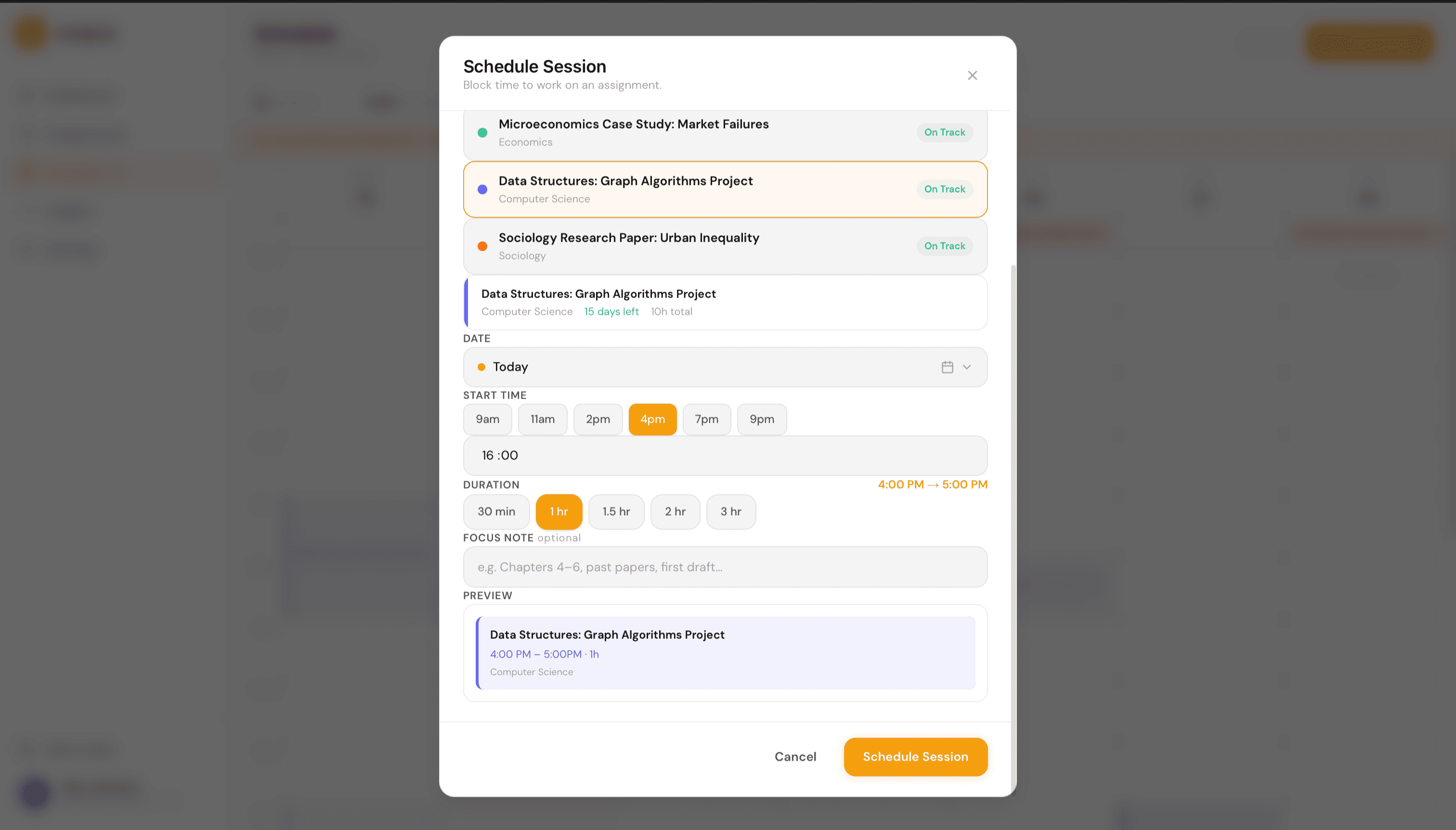
Smart Assignment Tracker is a productivity web app built for university students. It replaces scattered notes and missed deadlines with a structured system for tracking assignments, scheduling study sessions, and understanding work patterns.
- Assignment tracking with deadline urgency and progress.
- Intelligent study session scheduling on a weekly calendar.
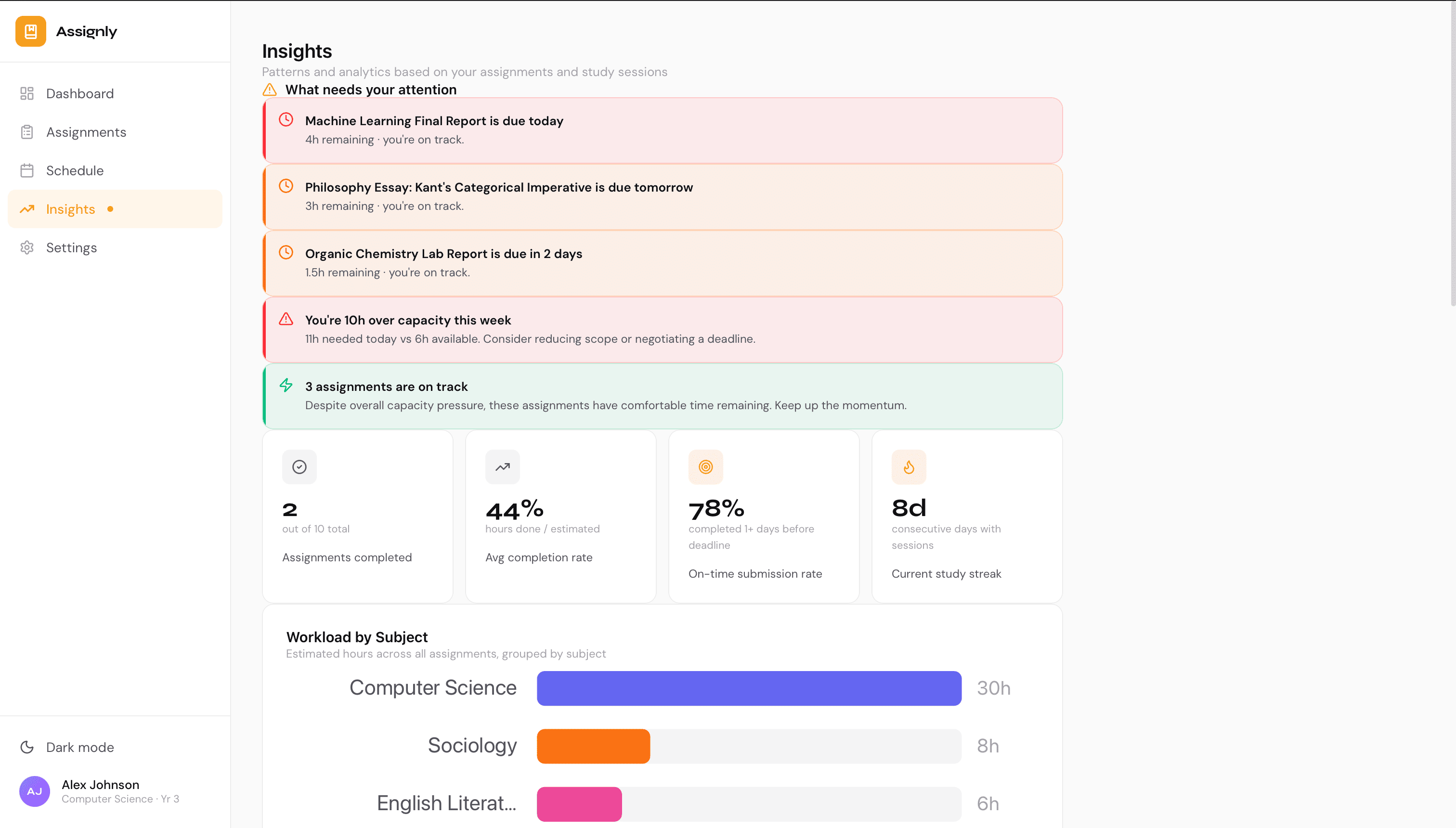
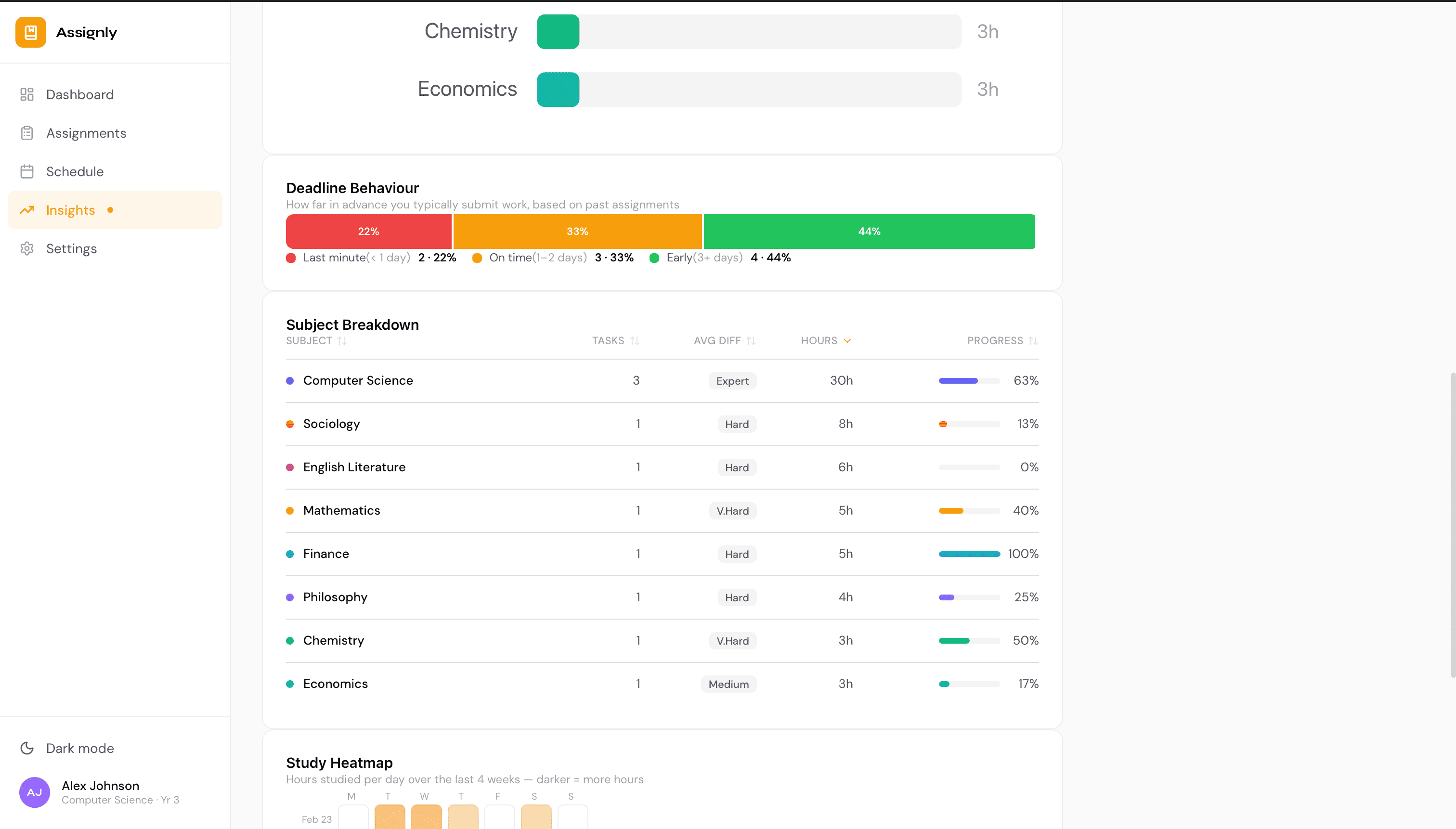
- Behavioural insights and subject workload analytics.
The Problem
Students manage deadlines across multiple subjects using a mix of phone notes, calendar reminders, and memory. There is no single place to see what is due, how much work remains, and when to study.
Existing tools are either too generic (Google Calendar) or too simple (basic todo lists). Neither surfaces urgency, tracks progress, or helps students plan ahead.
Constraints
Built as a solo project with no backend — all state managed client-side. The app had to feel premium and intuitive without relying on a design system or component library.
- No backend — all state persisted to localStorage.
- Premium, intuitive feel without a component library.
- Fast onboarding — students won't configure complex settings.
Solution
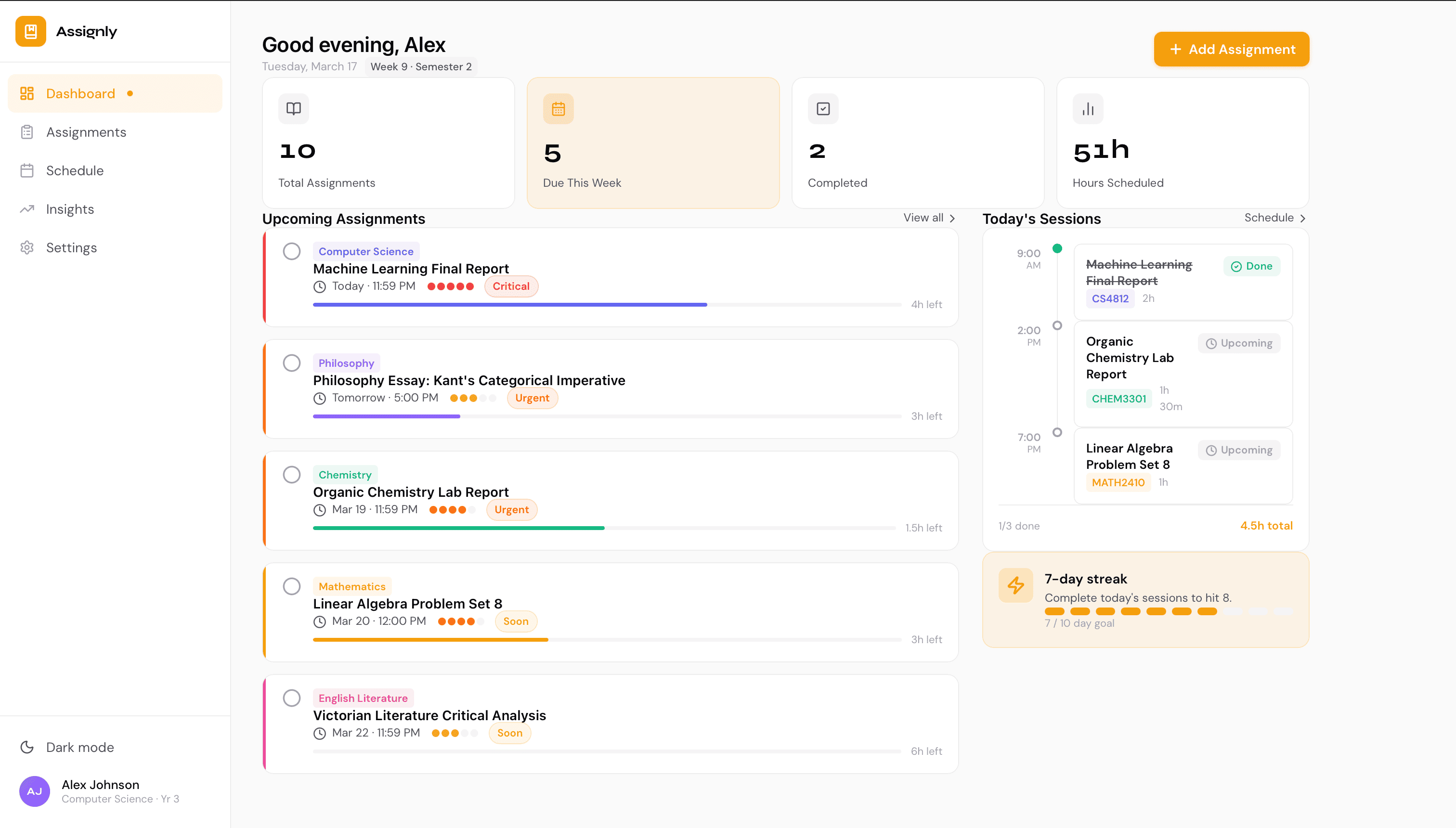
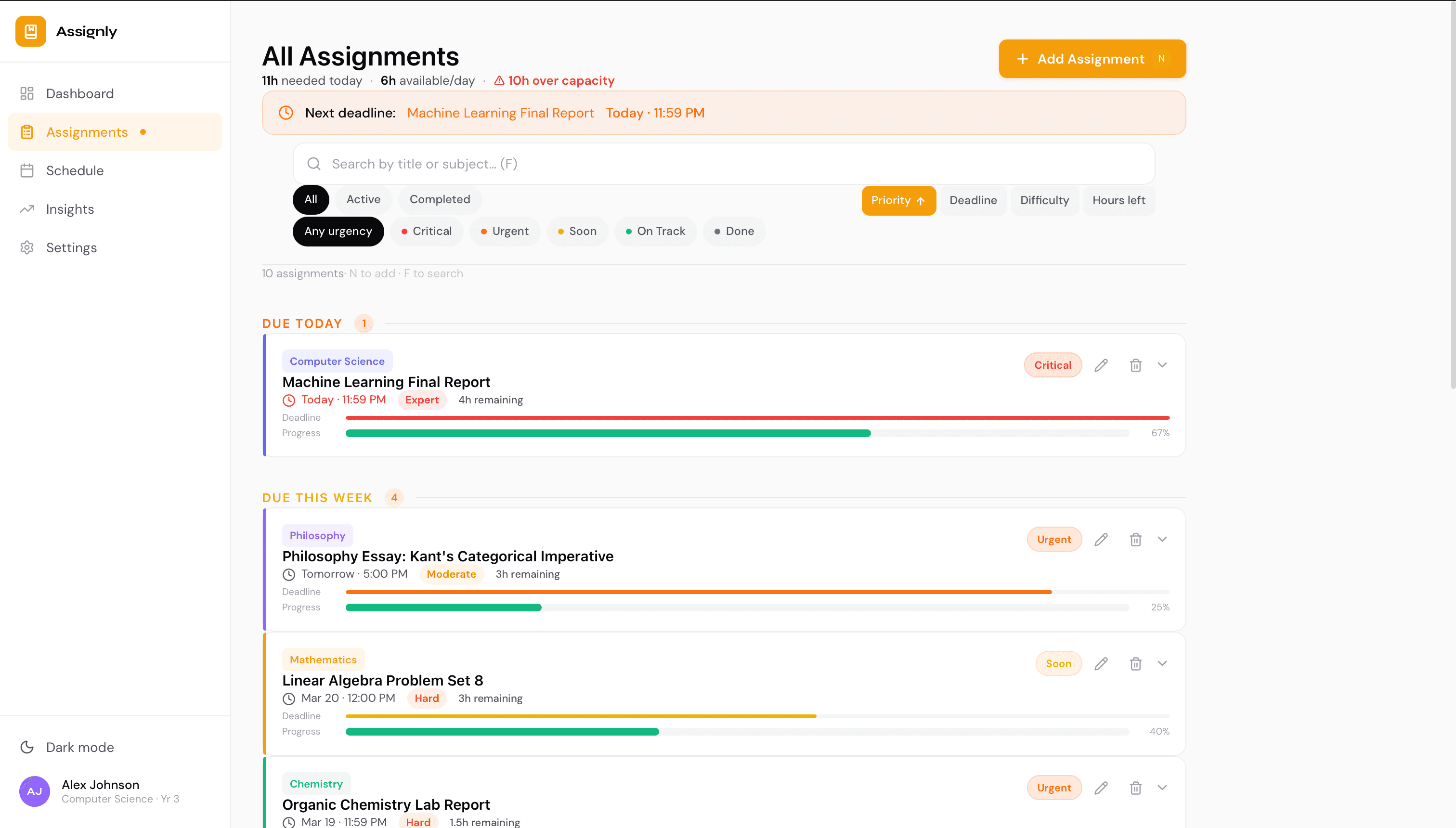
The core experience is a dashboard showing upcoming assignments sorted by urgency, with a weekly calendar for study sessions and an insights page showing patterns over time. An onboarding flow captures modules upfront so the app feels personalised from the start.
Urgency-based dashboard
Assignment cards sorted by deadline proximity with drag-to-update progress bars.
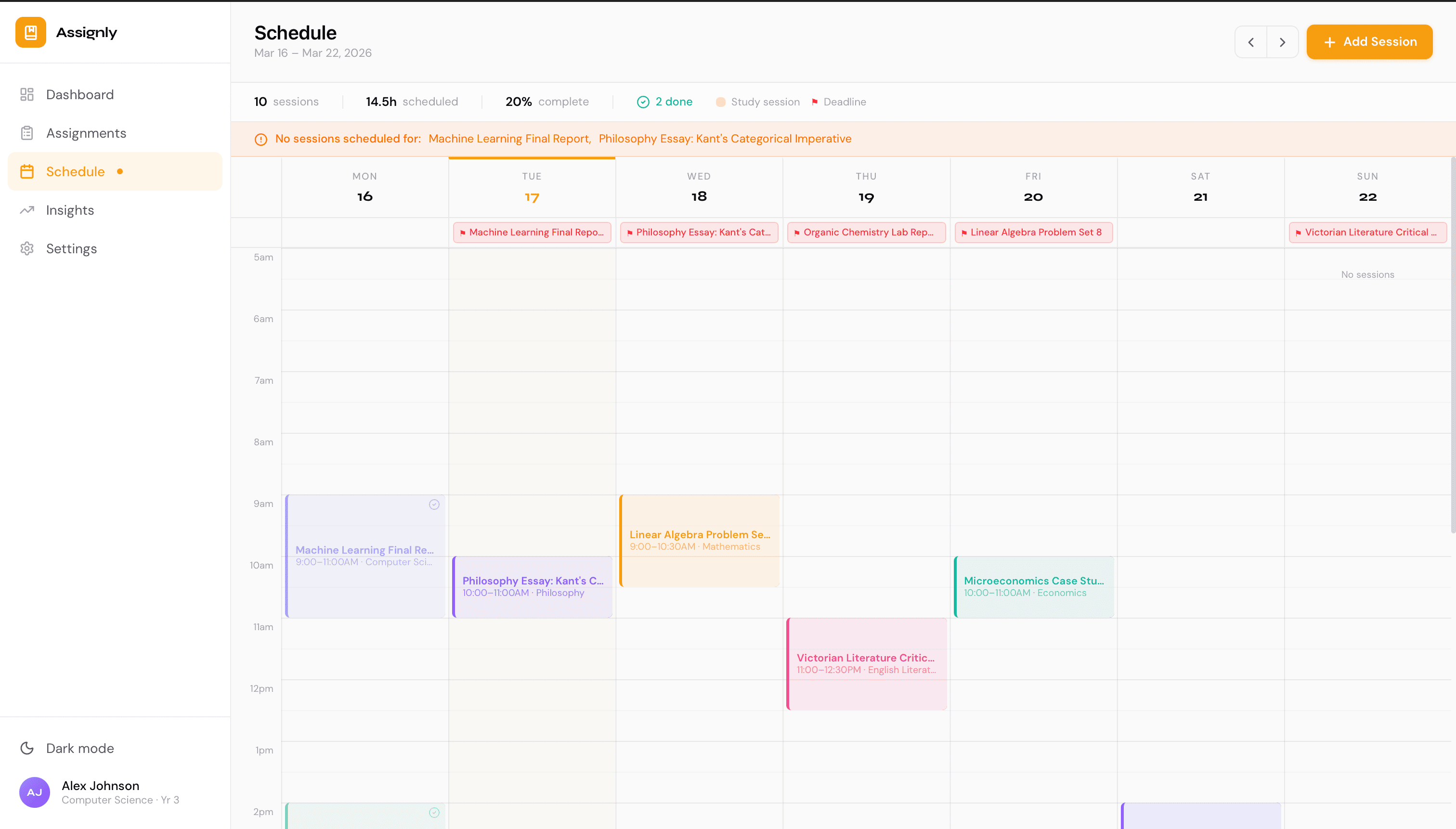
Weekly study calendar
Separates study sessions from deadline markers for clear weekly planning.
Behavioural insights
Subject workload breakdown and study heatmap to surface patterns over time.
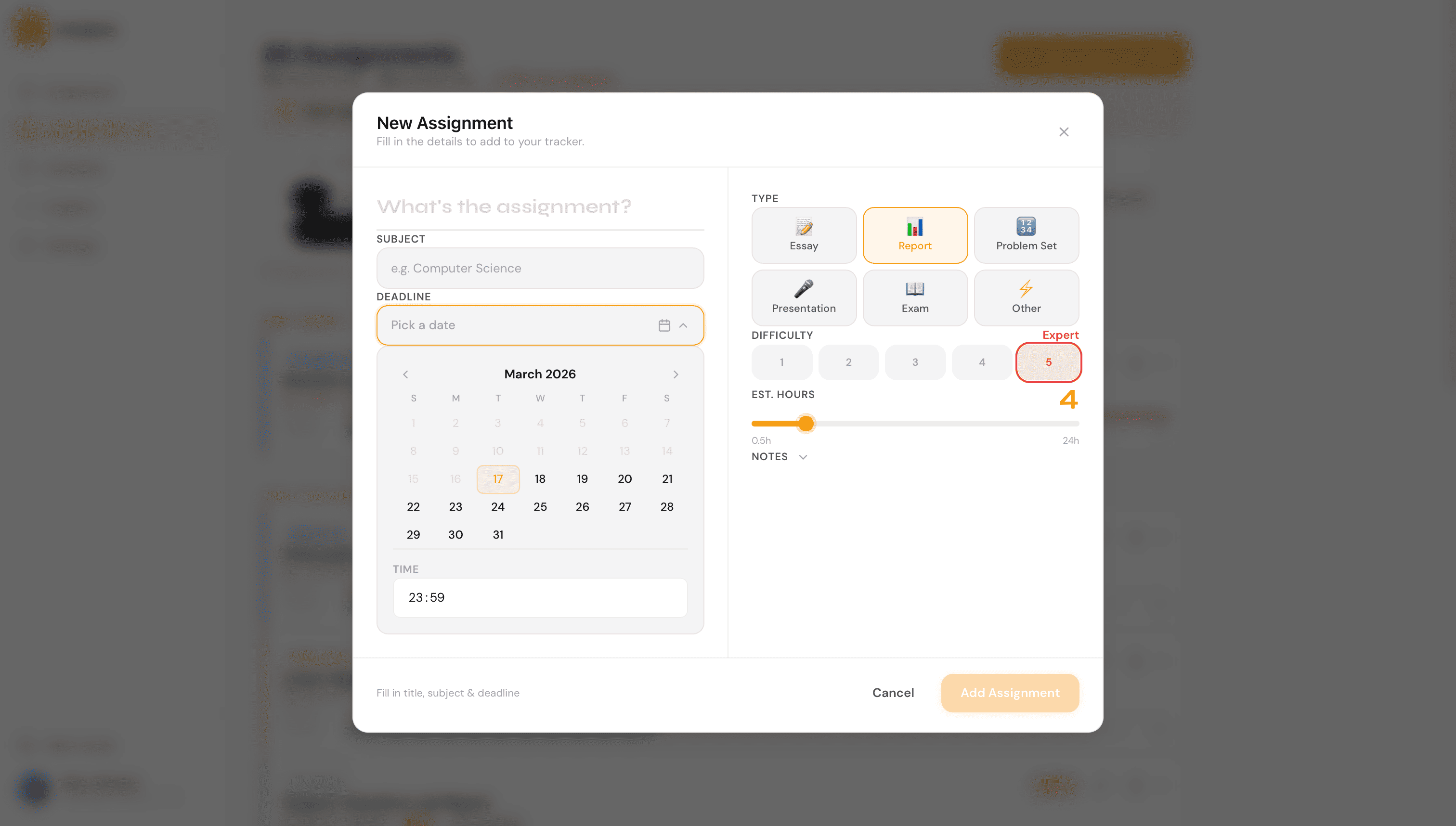
Onboarding & personalisation
Module setup captured upfront so the app feels tailored from first use.
Architecture & Data Model
All data is stored in localStorage with a structured context layer shared across pages. The app uses Next.js App Router with TypeScript throughout.
Each context owns a distinct domain: assignments, study sessions, theme, and onboarding state. This keeps page components thin and logic centralised.
- AssignmentContext — CRUD, urgency derivation, and sorting.
- SessionContext — study session management and calendar rendering.
- ThemeContext — dark/light mode with CSS variable switching.
- OnboardingContext — module setup persisted to localStorage.
Key Screens
Outcome
- Demonstrates end-to-end product thinking from onboarding to insights.
- Shows ability to build and ship a complex multi-page application solo.
- Clean, premium UI that rivals commercial productivity tools.
- Structured state management without a backend.